Laravel Job Chaining vs. Fan-Out/Fan-In

Laravel job chaining fits work that must run step by step, with one activity's output feeding the next. When independent activities can run at the same time and their outputs must be recombined, fan-out/fan-in is the better fit. This guide compares both patterns, then builds a Workflow PDF pipeline that converts pages concurrently before merging them.
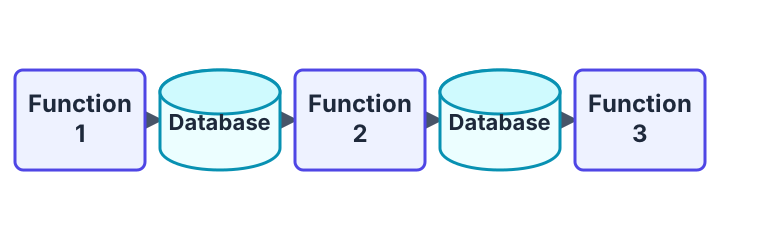
In contrast, the fan-out/fan-in pattern involves dividing a task into smaller sub-tasks and then combining the results of those sub-tasks to produce the final result. This pattern is often used to parallelize a task and improve its performance by leveraging the power of multiple queue workers.
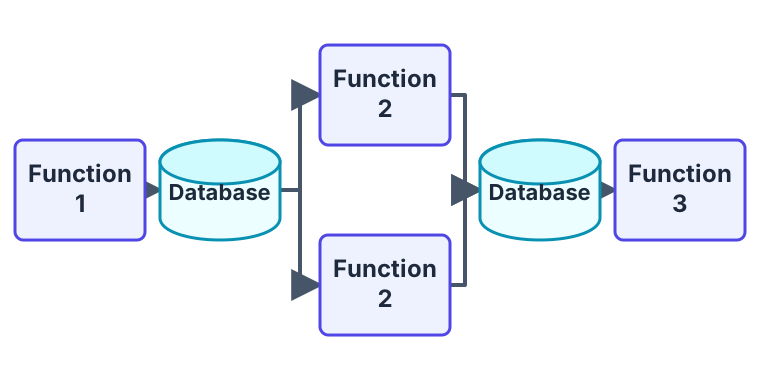
There are two phases: fan-out and fan-in.
In the fan-out phase, the workflow divides the main task into smaller sub-tasks and assigns each of those sub-tasks to a different activity. In the fan-in phase, the workflow collects the results of the activities and combines them to produce the final result.
The below workflow represents a simple example of a fan-out/fan-in pattern in which multiple activities are executed in parallel and their results are then merged together.
The workflow divides the task of creating a PDF into activities, with each activity responsible for rendering a single page of the document. Once the individual pages have been rendered, the fan-in phase of the workflow combines the rendered pages into a single PDF document.
namespace App\Workflows\BuildPDF;

use Workflow\Workflow;
use function Workflow\{activity, all};

class BuildPDFWorkflow extends Workflow
{
    public function execute()
    {
        $page1 = activity(ConvertURLActivity::class, 'https://example.com/');
        $page2 = activity(ConvertURLActivity::class, 'https://example.com/');

        $pages = yield all([$page1, $page2]);

        $result = yield activity(MergePDFActivity::class, $pages);

        return $result;
    }
}
The ConvertURLActivity is passed a URL as an argument, and it converts the contents of that URL into a PDF document. Because two separate activities are created, this results in the execution of two instances of ConvertURLActivity in parallel.
namespace App\Workflows\BuildPDF;

use Illuminate\Support\Facades\Http;
use Workflow\Activity;

class ConvertURLActivity extends Activity
{
    public function execute($url)
    {
        $fileName = uniqid() . '.pdf';

        Http::withHeaders([
            'Apikey' => 'YOUR-API-KEY-GOES-HERE',
        ])
        ->withOptions([
            'sink' => storage_path($fileName),
        ])
        ->post('https://api.cloudmersive.com/convert/web/url/to/pdf', [
            'Url' => $url,
        ]);

        return $fileName;
    }
}
Next, the BuildPDFWorkflow uses all() to wait for both ConvertURLActivity instances to complete. This is an example of the fan-in part of the fan-out/fan-in pattern, as it collects the results of the parallel activities and combines them into a single array of PDF files.
Finally, the BuildPDFWorkflow executes theMergePDFActivity, which is passed the array of PDFs that were generated by the ConvertURLActivity instances, and merges them into a single PDF document.
namespace App\Workflows\BuildPDF;

use setasign\Fpdi\Fpdi;
use Workflow\Activity;

class MergePDFActivity extends Activity
{
    public function execute($pages)
    {
        $fileName = uniqid() . '.pdf';

        $pdf = new Fpdi();

        foreach ($pages as $page) {
            $pdf->AddPage();
            $pdf->setSourceFile(storage_path($page));
            $pdf->useTemplate($pdf->importPage(1));
        }

        $pdf->Output('F', storage_path($fileName));

        foreach ($pages as $page) {
            unlink(storage_path($page));
        }

        return $fileName;
    }
}
This is what the final PDF looks like…
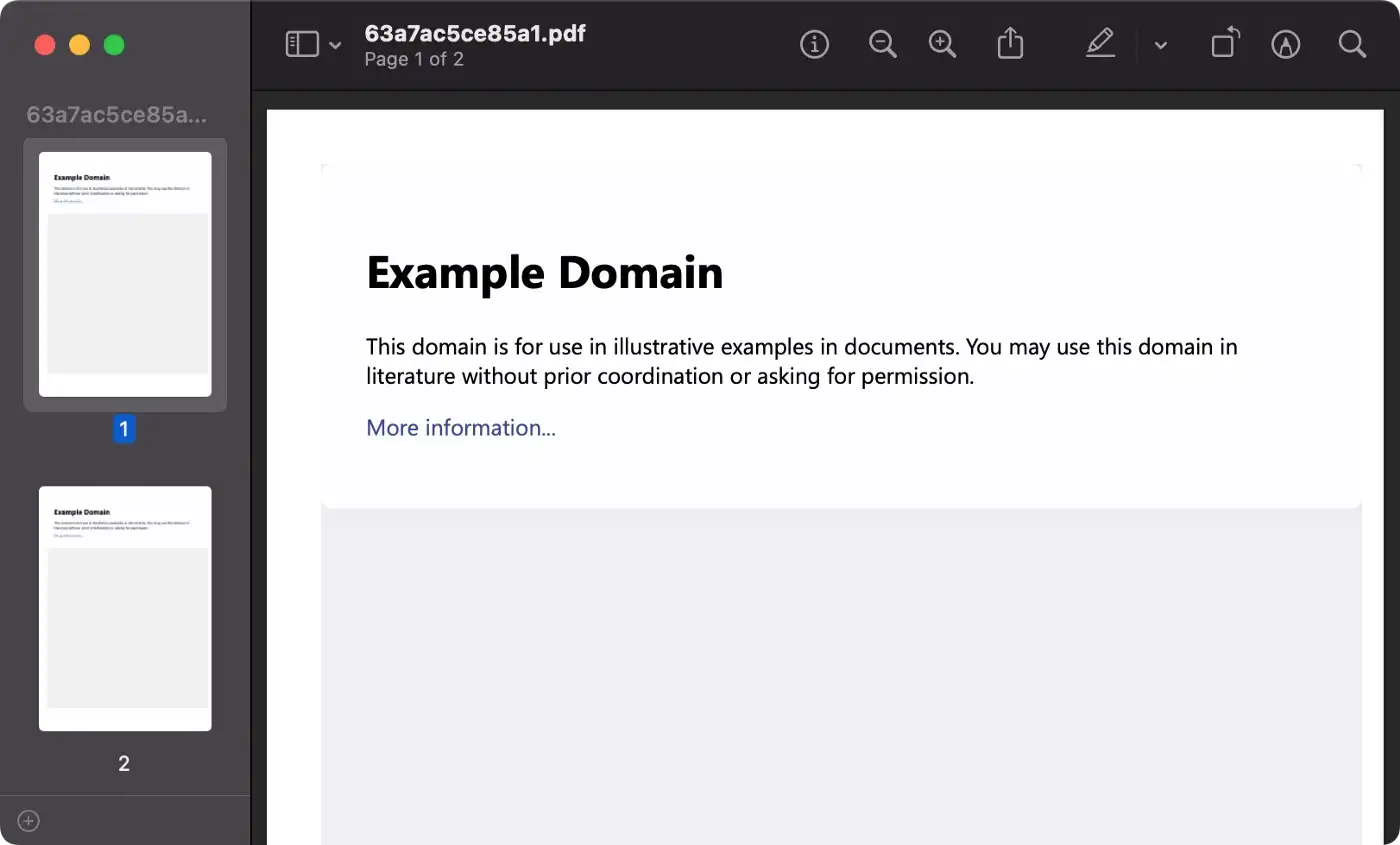
Overall, using the fan-out/fan-in pattern in this way can significantly reduce the time it takes to create a PDF document, making the process more efficient and scalable.
Thanks for reading!